

Happy Horse AI Video Generator
Generate videos with Happy Horse, supporting Text to Video, Image to Video, and Reference to Video.
Published cases
video cases
Published video cases from the Explore gallery.
Make Cinematic Quality AI Videos and Images
Image to Video AI
Bring your photos to life with AI Video Studio. Turn static images into captivating animated videos in seconds for social clips, campaigns, and visual storytelling.
Original Image
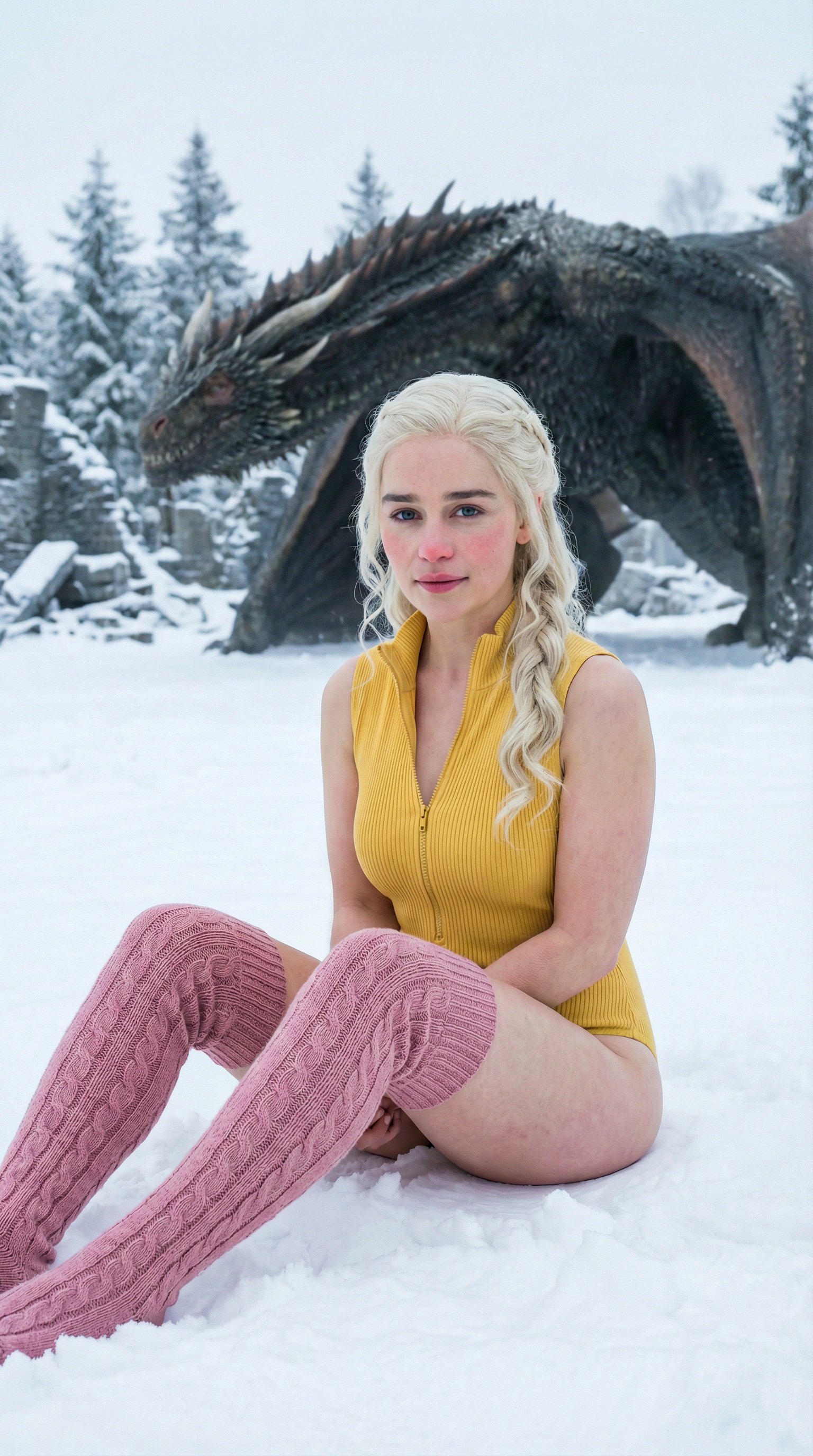
Prompt
ultra realistic high fashion photograph of Emilia Clarke sitting on fresh white snow outdoors in winter. Recognizable facial structure and likeness of Emilia Clarke: oval face shape, soft youthful features, expressive almond-shaped green eyes, naturally full lips, straight petite nose, balanced facial symmetry. Natural winter blush on cheeks and nose. Calm confident expression with a subtle closed-mouth smile, looking directly into the camera. She is seated on the snow with legs bent forward, slightly apart, hands placed behind her for support. Camera angle slightly above eye level, gently looking down. She wears a fitted ribbed sleeveless zip-up yellow bodysuit and pink cable-knit thigh-high socks. Elegant minimal winter fashion styling. Slim, petite, feminine body proportions. Fair-to-light skin tone with natural texture. Background is a snow-covered ground with a dragon partially visible. Natural overcast winter daylight, soft diffused lighting, no harsh shadows, cinematic realism, high skin detail, realistic color grading.
Video
Original Image
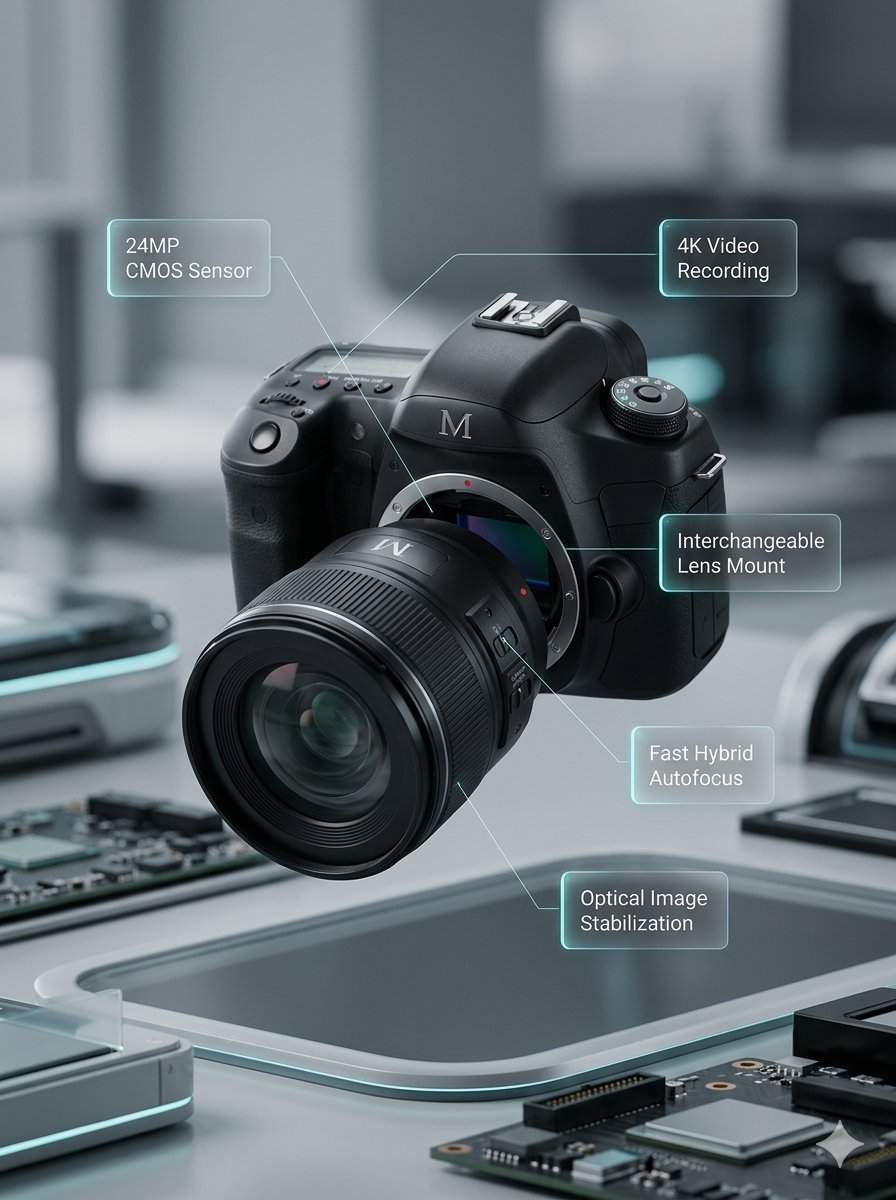
Prompt
Lens segments combine and move back. Left and right body sections close together. Upper body section moves down. Annotations smoothly appear.
Video
Original Image
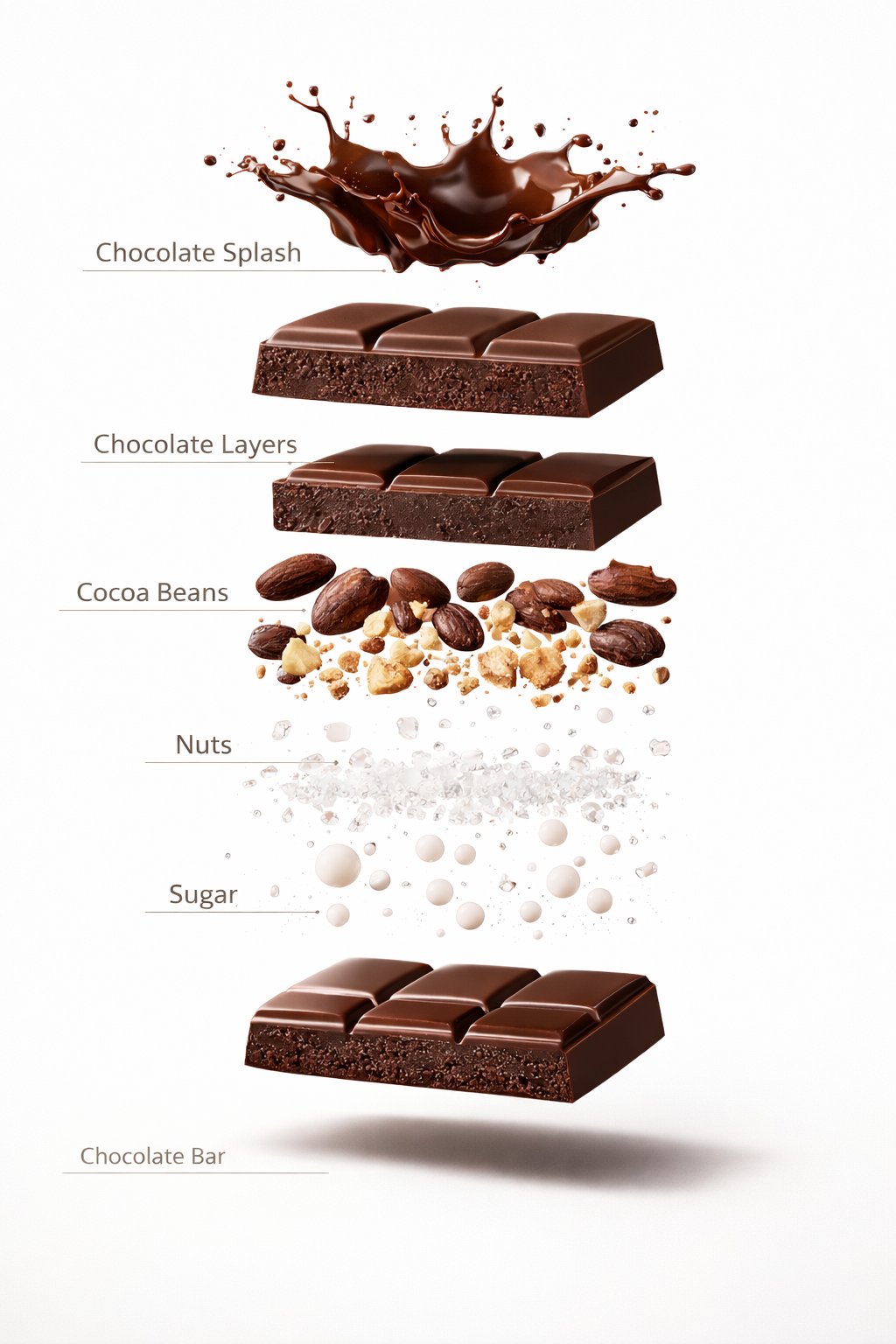
Prompt
A premium dessert product photograph of a luxury chocolate bar partially unwrapped and centered against a rich warm brown seamless studio background. The chocolate has glossy texture, crisp edges, and a high-end confectionery appearance. Soft cinematic studio lighting, subtle shadows, ultra-sharp focus, premium food advertisement style, hyper realistic, 8K.
Video
Original Image
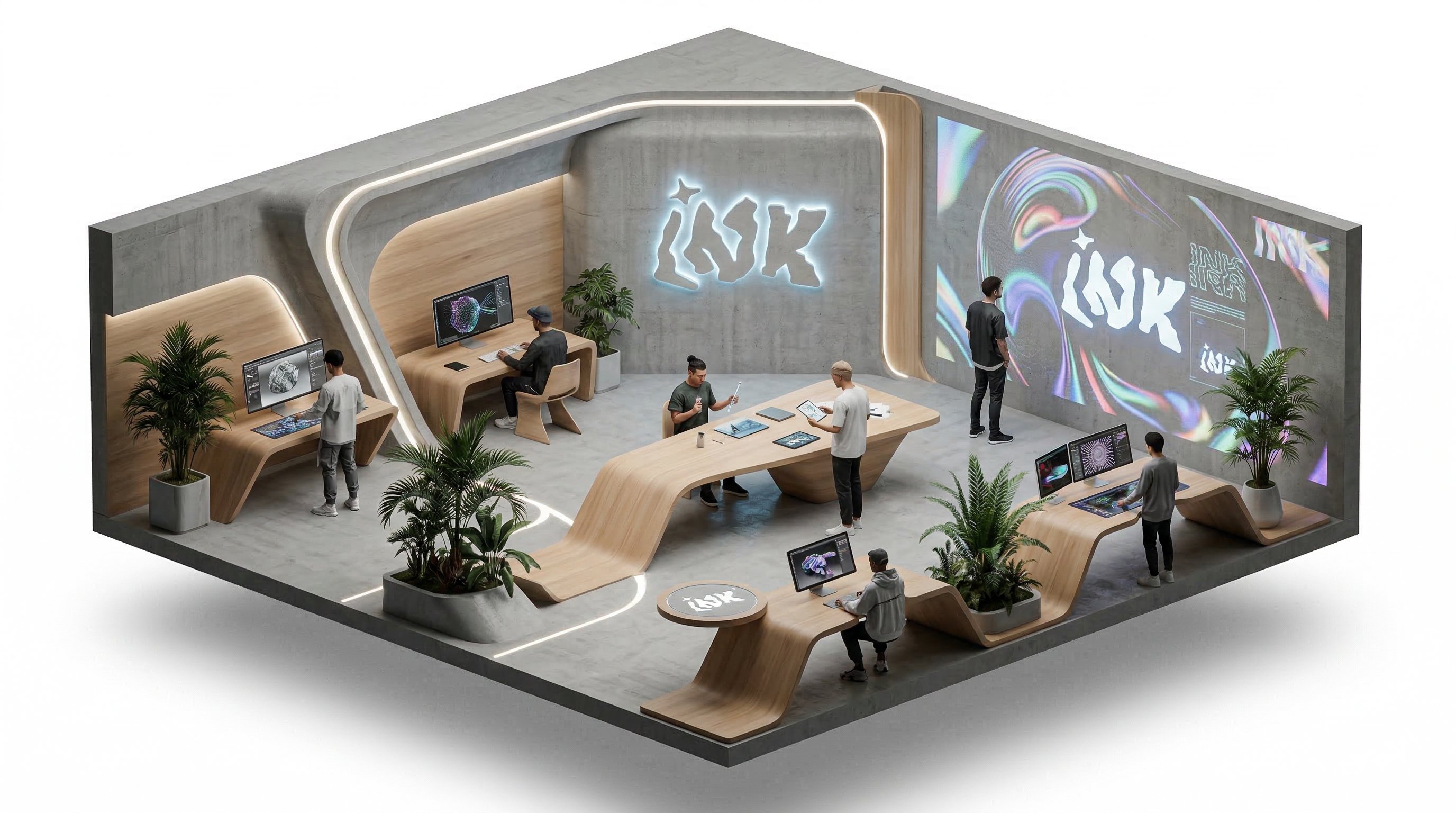
Prompt
isometric office, people working and talking, slow rotation around the isometric scene
Video
Why choose us
Frontier video and image models keep landing here
You do not need to keep changing tools. As new models arrive, you can stay inside the same workflow to test, generate, compare, and manage outputs.

The core Happy Horse workflows on one page
Move from example browsing to generation with the three supported Happy Horse creation modes and clear per-second credit planning.
Text to video
Start from a written scene description and choose duration, aspect ratio, and 720p or 1080p output.
Image to video
Upload one first-frame image and use a prompt to describe how the scene should move.
Reference to video
Upload up to nine reference images and call them out in the prompt as character1, character2, character3, and so on.
Simple duration control
Create short clips from 3 to 15 seconds and keep the cost predictable before submitting.
Two resolution tiers
Choose 720p for lower-cost drafts or 1080p when the clip needs higher clarity.
Video Edit stays separate
This page intentionally focuses on generation workflows first. Video Edit is not enabled here yet.
Where individual creators use Happy Horse most often
Common uses include social clips, product motion tests, character reference drafts, and fast visual direction checks.
I use Happy Horse when I need a quick vertical or landscape motion draft from one clear visual idea.

Mio
Short Video Creator
For product teasers, it lets me test whether an image can become a usable clip before I refine copy and sound.

Pavel
Indie Developer
The credit math is easy to plan because I can choose 720p or 1080p and know the per-second cost.

Noah
Course Creator
I like using reference images when I want a character idea to stay recognizable across a few quick motion tests.

Rika
Character Creator
Uploading one product frame and turning it into a short movement test helps me decide which listing visuals are worth polishing.

Jon
Marketplace Seller
It is useful for checking whether a prompt has enough motion detail before I spend time building a full social cut.

Sara
Social Media Editor
I use Happy Horse when I need a quick vertical or landscape motion draft from one clear visual idea.
Mio
Short Video Creator
For product teasers, it lets me test whether an image can become a usable clip before I refine copy and sound.
Pavel
Indie Developer
The credit math is easy to plan because I can choose 720p or 1080p and know the per-second cost.
Noah
Course Creator
I like using reference images when I want a character idea to stay recognizable across a few quick motion tests.
Rika
Character Creator
Uploading one product frame and turning it into a short movement test helps me decide which listing visuals are worth polishing.
Jon
Marketplace Seller
It is useful for checking whether a prompt has enough motion detail before I spend time building a full social cut.
Sara
Social Media Editor
I use Happy Horse when I need a quick vertical or landscape motion draft from one clear visual idea.
Mio
Short Video Creator
The credit math is easy to plan because I can choose 720p or 1080p and know the per-second cost.
Noah
Course Creator
Uploading one product frame and turning it into a short movement test helps me decide which listing visuals are worth polishing.
Jon
Marketplace Seller
I use Happy Horse when I need a quick vertical or landscape motion draft from one clear visual idea.
Mio
Short Video Creator
The credit math is easy to plan because I can choose 720p or 1080p and know the per-second cost.
Noah
Course Creator
Uploading one product frame and turning it into a short movement test helps me decide which listing visuals are worth polishing.
Jon
Marketplace Seller
For product teasers, it lets me test whether an image can become a usable clip before I refine copy and sound.
Pavel
Indie Developer
I like using reference images when I want a character idea to stay recognizable across a few quick motion tests.
Rika
Character Creator
It is useful for checking whether a prompt has enough motion detail before I spend time building a full social cut.
Sara
Social Media Editor
For product teasers, it lets me test whether an image can become a usable clip before I refine copy and sound.
Pavel
Indie Developer
I like using reference images when I want a character idea to stay recognizable across a few quick motion tests.
Rika
Character Creator
It is useful for checking whether a prompt has enough motion detail before I spend time building a full social cut.
Sara
Social Media Editor
I use Happy Horse when I need a quick vertical or landscape motion draft from one clear visual idea.
Mio
Short Video Creator
I like using reference images when I want a character idea to stay recognizable across a few quick motion tests.
Rika
Character Creator
I use Happy Horse when I need a quick vertical or landscape motion draft from one clear visual idea.
Mio
Short Video Creator
I like using reference images when I want a character idea to stay recognizable across a few quick motion tests.
Rika
Character Creator
For product teasers, it lets me test whether an image can become a usable clip before I refine copy and sound.
Pavel
Indie Developer
Uploading one product frame and turning it into a short movement test helps me decide which listing visuals are worth polishing.
Jon
Marketplace Seller
For product teasers, it lets me test whether an image can become a usable clip before I refine copy and sound.
Pavel
Indie Developer
Uploading one product frame and turning it into a short movement test helps me decide which listing visuals are worth polishing.
Jon
Marketplace Seller
The credit math is easy to plan because I can choose 720p or 1080p and know the per-second cost.
Noah
Course Creator
It is useful for checking whether a prompt has enough motion detail before I spend time building a full social cut.
Sara
Social Media Editor
The credit math is easy to plan because I can choose 720p or 1080p and know the per-second cost.
Noah
Course Creator
It is useful for checking whether a prompt has enough motion detail before I spend time building a full social cut.
Sara
Social Media Editor
Creator Updates
Creator notes around Happy Horse
Early notes for Happy Horse focus on text-to-video, first-frame animation, reference images, and per-second credit planning.
FAQ
Common questions about Happy Horse
These questions cover the supported Happy Horse generation modes, reference-image prompting, resolution choices, and credit calculation.
Still have a question? Email support@ai-studio.video.
What can I create with Happy Horse on this page?
+
This page supports text-to-video, image-to-video, and reference-to-video generation. Video Edit is not enabled yet.
How does image-to-video work?
+
Upload one first-frame image, then describe the movement or scene change you want. The output shape follows the first-frame image, so the page does not expose a separate aspect-ratio control for this mode.
How should I use reference images?
+
Upload one to nine reference images and refer to them in order inside the prompt as character1, character2, character3, and so on. Clear references help avoid mixing visual roles.
How are Happy Horse credits calculated?
+
720p video costs 10 credits per second, and 1080p video costs 18 credits per second. For example, a 5-second 720p clip costs 50 credits, while a 5-second 1080p clip costs 90 credits.
Why does Explore show all videos instead of only Happy Horse videos?
+
Happy Horse is new and does not have enough curated public examples yet, so this page uses the full video gallery as a broader reference set for now.
Pricing
Subscribe to unlock all video and image models, plus more services.
Starter
$29 USD
$14.2 USD / month
400 base credits+5 reward credits / day
Billed US$169 USD / year
Save more by stocking up credits for a year of video and image generation.
Includes
- Up to 550 credits/month
- Up to 150 claimable reward credits totally
- Up to 137 videos
- Up to 550 images
- History saved for 180 days
- 3 concurrent tasks
Popular
Standard
$58 USD
$28.25 USD / month
800 base credits+200 bonus credits+8 reward credits / day
Billed US$339 USD / year
A balanced plan for regular video and image generation.
Includes
- Up to 1240 credits/month
- Up to 240 claimable reward credits totally
- Up to 310 videos
- Up to 1240 images
- History saved for 180 days
- 5 concurrent tasks
Premium
$139 USD
$71.33 USD / month
2000 base credits+1200 bonus credits+20 reward credits / day
Billed US$856 USD / year
Best for teams and heavy video and image generation workloads.
Includes
- Up to 3800 credits/month
- Up to 600 claimable reward credits totally
- Up to 950 videos
- Up to 3800 images
- History saved for 180 days
- Unlimited concurrency
Start a Happy Horse video draft
Choose text, image, or reference-image generation, set the duration and resolution, then submit a short video draft with predictable credits.
