
Table of contents
On November 4, 2026, OpenAI rolled out ChatGPT Images 2.6 across ChatGPT and Codex on web, desktop, and mobile, alongside two new API models: gpt-image-2.6-flare and gpt-image-2.6-sunburst. While OpenAI claims the update generates images roughly 50% faster than before and adds reusable reference images, the feature dominating creator feeds is much simpler: ChatGPT can now generate native animated GIFs.
Instead of asking ChatGPT to write a Python script to stitch a sprite sheet together, you can now type a prompt or upload a photo directly in ChatGPT, get a short animated loop, adjust playback speed, inspect or edit individual frames, and share the result.
For creators, social managers, and video producers, a two-second loop occupies a very different spot in the workflow than a cinematic AI video model. Here is a look at the examples creators are sharing from day one, how the animation mechanics hold up in independent testing, the prompt patterns that work best for short loops, and when you still need to step up to a full video generator.
Why short loops matter for creators
Full AI video generators are built for camera movement, multi-second scene progression, and audio sync. But a huge slice of everyday creative production does not need a 10-second 1080p clip. It needs a lightweight, auto-playing visual that communicates an idea in two seconds without requiring a play button.
According to OpenAI, users are already generating around 4 billion images per week across ChatGPT, Codex, and the API (up from the roughly 3 billion per week reported by The Verge back in September). Adding native GIF output turns that existing image workflow into a fast lane for four specific creator use cases:
- Reaction GIFs and memes: Social replies, Discord stickers, and newsletter headers thrive on slightly choppy, exaggerated motion. A low-frame-rate loop often lands a joke better than hyper-smooth video.
- Brand mascots and recurring characters: ChatGPT Images 2.6 introduces saved reference images, allowing you to store a character, product, or person and reuse that reference across future generations without re-uploading every time. Pairing a saved mascot with
gpt-image-2.6-sunburst(which OpenAI says prioritizes detail and multi-turn editing consistency) makes it easier to spin up a set of themed reaction loops. - Product micro-demos and layout drafts: OpenAI positions
gpt-image-2.6-flarefor speed and layout work like posters and product shots, claiming low-quality drafts can generate in as little as 6 seconds. Adding a subtle shimmer or steam loop draws the eye without weighing down a landing page. - Pre-production storyboards and animatics: Before spending time and credits rendering full shots in a video model, directors can sketch out beat-by-beat motion loops or test how a character action reads in a 9-to-12-frame cycle.
Day-one ChatGPT GIF examples creators are sharing
Within hours of OpenAI's announcement on X, developers and creators began stress-testing the new GIF pipeline. Because GPT Image 2.6 generates discrete frames (defaulting to around 9 frames at 200ms per frame in the API), the results have a distinct flipbook or stop-motion feel.
The classic benchmark, animated
Asking an AI to draw a pelican riding a bicycle has long been a popular informal test for spatial reasoning and object composition. Developer @SSHCodes ran the prompt through the new GIF generator right after launch:
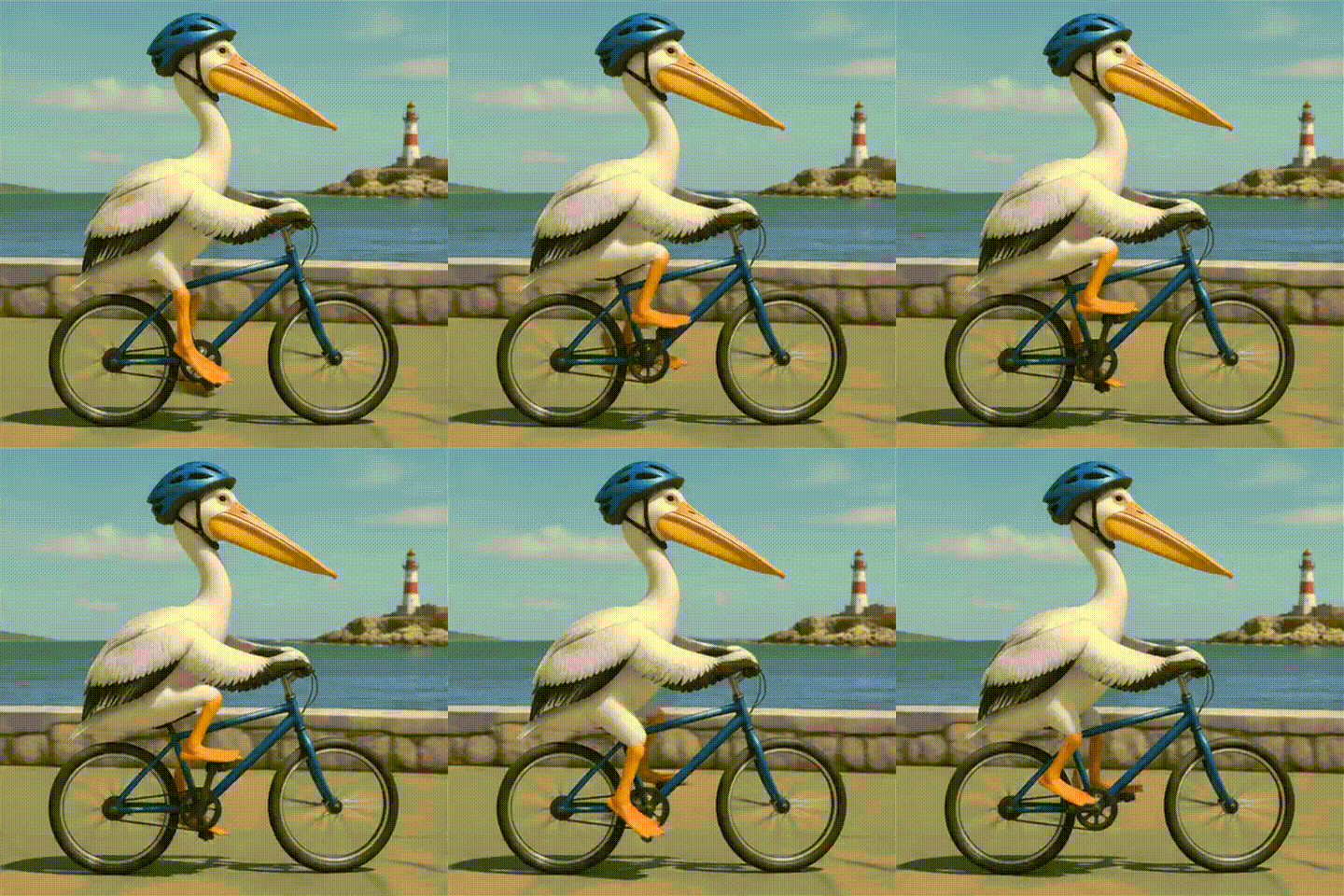
GIF example by @SSHCodes on X (Nov 4, 2026). Source: https://x.com/SSHCodes/status/2118127375481504100 — used with attribution for news/illustration; copyright belongs to the original author.
The clip highlights what GPT Image 2.6 does well on simple subjects: the character stays recognizable across frames, the pedaling action reads clearly, and the flat, illustrative style hides the low frame count.
Stylized loops and visual experiments
Creators leaning into stylized illustration and simple cyclic motion also posted promising early clips. User @plasm0 shared an animated sample showing how the model handles self-contained motion:
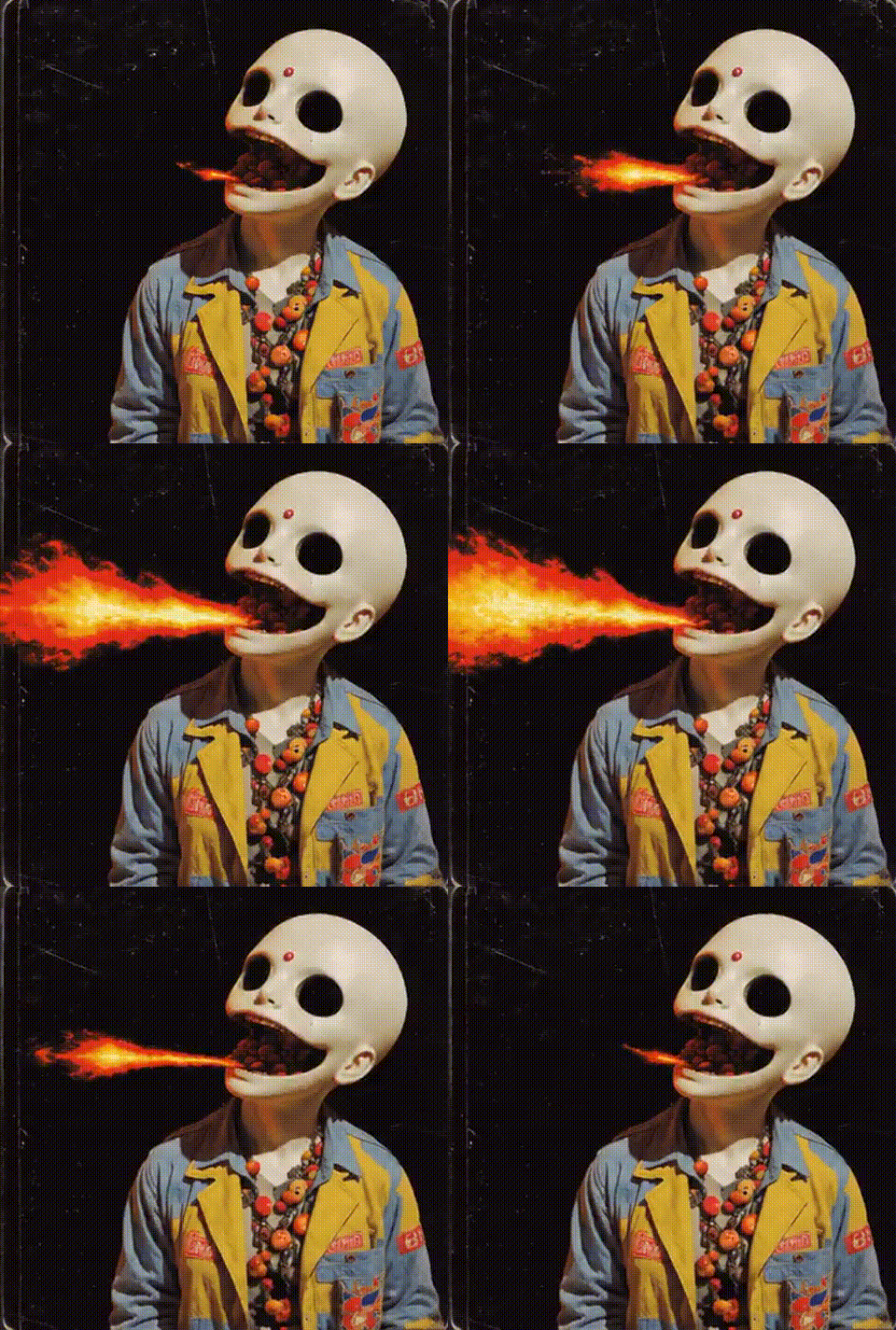
GIF example by @plasm0 on X. Source: https://x.com/plasm0/status/2118177268870562241 — used with attribution; copyright belongs to the original author.
Similarly, X user @xinzhang322 shared multiple GIF samples, noting that the results were "unexpectedly good" and pointing out a quirk that meme makers will appreciate: the slightly choppy, low-frame-rate cadence actually makes humorous prompts look funnier.

GIF example by @xinzhang322 on X (Nov 4, 2026). Source: https://x.com/xinzhang322/status/2118303276613656597 — used with attribution for news/illustration; copyright belongs to the original author.
Other creators echoed the workflow improvements. User @Awe_automation shared a weekend-jump test GIF and noted that getting a usable loop took far fewer iterations than older ChatGPT workarounds. Meanwhile, @Krouxzz posted a quick how-to thread with sample GIFs showing how accessible the direct prompt-to-GIF flow is for everyday users, and @higgsfield_ai demonstrated a pencil-sketch fight sequence comparing sprite-sheet-to-GIF workflows.
Where GPT Image 2.6 GIFs struggle: seams, choppiness, and static misfires
Day-one reception has not been universally positive, and independent testing shows clear technical boundaries that creators should know before building a workflow around ChatGPT GIFs.
First, not every prompt actually triggers an animation. On X, @VarunChopr17597 reported testing 17 separate prompts and getting 12 animated GIFs alongside 5 static images. If your prompt doesn't clearly specify motion or format, ChatGPT may still hand you a still frame.
Second, loop seams and uneven motion are common. In a hands-on test by Kingy.ai using the API (generating a 512×512 loop of 10 frames at 200ms per frame, which they reported took about 17.6 seconds and cost roughly $0.056 on their setup), text inside the frame remained readable, but the loop seam between the last and first frame was obvious and the motion stepping felt uneven. In another browser test by Analytics Vidhya, a 12-frame, ~2.16-second loop of a teapot puffing heart-shaped steam worked as a true GIF loop, though the reviewers noted that rendered text can still drop characters.
Third, photorealistic human motion often looks rough. According to a hands-on report by Zhidx (智东西), GIF generation took roughly 10 to 15 seconds per clip and kept good subject consistency on claymation-style prompts, but struggled with high-fluidity live-action scenes—dropping to an effective 1 to 2 frames per second with drifting backgrounds and watermarks. Animating uploaded vintage photos performed even worse, though the outlet noted that increasing reasoning/thinking effort helped improve the physical plausibility of movements.
Some creators were blunt about the limitations. X user @BlackthorneAI posted a sample from the GIF feature with a flatly negative review ("I fucking hate it"), and @Ian_Perf said they were unimpressed, arguing that underlying architectural issues from 2.5 remain. Even promotional posts like @HitPawofficial noted that outputs can sometimes turn out blurry or stuttery.
Prompt patterns that actually work for GPT Image 2.6 loops
Because GPT Image 2.6 is building a short frame sequence rather than simulating continuous 24fps physics, you get much better results when you write prompts like a stop-motion animator rather than a film director. Based on the official documentation and day-one tests, three rules make the biggest difference:
1. Lock the camera down
When the virtual camera pans or zooms across a 9-to-12-frame GIF, the background shifts in big, jarring steps—and as Zhidx's testing showed, background details can drift. Specify a "fixed camera," "locked tripod shot," or "static flat background" so the model spends all its frame-to-frame budget on the subject's action.
2. Choose reversible or cyclic actions
As Kingy.ai's test highlighted, one-way trajectories (like a car driving across the screen) create a harsh jump cut when the GIF restarts at frame 1. Instead, prompt for reversible or oscillator motions that naturally return to their starting pose:
- Steam, smoke, or bubbles rising and dissipating (
Analytics Vidhyatested a teapot with heart-shaped steam) - A character waving, nodding, typing, or pedaling in place
- Neon signs flickering or a badge pulsing between two states
- Claymation or 2D vector characters doing a symmetric bounce or dance
Look at the official prompt example from OpenAI's image generation guide:
{
  "model": "gpt-image-2.6-flare",
  "prompt": "A cat dances in a seamless loop",
  "output_format": "gif",
  "frame_count": 9,
  "frame_duration_ms": 200
}
3. Lean into stylized art directions
Claymation, pixel art, flat vector illustration, and hand-drawn sketch styles naturally forgive 200ms frame intervals. If a clay figure moves at 5 frames per second, viewers read it as an intentional stop-motion aesthetic. If a photorealistic person moves at 5 frames per second, viewers read it as a broken video.
Quick notes for technical creators using the API
If you are automating meme templates, storyboard panels, or social assets through the OpenAI API (POST /v1/images/generations), keep a few documented constraints in mind:
- Parameters: Set
"output_format": "gif". You can control timing withframe_duration_ms(from 20 to 2000ms, rounded to roughly 10ms increments; default is 200ms) andframe_count(default is 9; OpenAI's guide lists 2–64 while some third-party and API reference pages list 2–16, so check against current live API validation). - No GIF output on the
/v1/images/editsendpoint: According to OpenAI's guide, the edits endpoint does not support GIF output. If you want to animate a static image, you need to use the ChatGPT interface or go through the/v1/images/generationspath with reference images. - Unsupported features for GIFs: Streaming, partial images, custom
output_compression, andprompt_rewriterare not supported when outputting GIFs. - Other 2.6 additions: Beyond GIFs, the API changelog adds a
complexityparameter, markup-guided image editing, and SVG export. OpenAI also published a dedicated system card on GIF risks, safeguards, and evaluations.
When to use ChatGPT GIFs vs. a real AI video model
ChatGPT Images 2.6 is a genuinely handy upgrade for quick loops, chat reactions, and rough animatics. And in pure generation speed, early users like @cellcogai (who reported roughly 2× faster runs across 80 generations compared to 2.5) and @VIBEQUIRKLABS confirm the model feels noticeably snappier.
However, a 9-to-12-frame flipbook is not a replacement for dedicated video generation. You should switch from ChatGPT GIFs to a dedicated AI video model whenever your project requires:
- Smooth 24–60fps motion and camera movement: Panning across a landscape, tracking a runner, or executing cinematic push-ins will stutter in a low-frame GIF.
- Photorealistic human performance: Live-action talking heads, subtle facial expressions, and complex physics (like pouring liquid or cloth simulation) require temporal video architectures (for example recent Kling-class video models) rather than discrete image-frame loops.
- Multi-second narrative and native audio: When you need a 5-to-30-second shot with synchronized sound effects, dialogue, or music, a silent 2-second GIF won't cut it.
In fact, one of the best ways to use GPT Image 2.6 is as the first step of a video pipeline: use ChatGPT's saved reference images and fast Flare generations to nail your character design, layout, or rough motion idea, and then bring those reference frames into a dedicated video generator for final rendering.
Try multiple AI video and image workflows in one place
If you like the speed of testing visual ideas in ChatGPT but hit the ceiling of 2-second choppy GIFs when it is time to publish, you don't have to juggle half a dozen separate subscriptions to finish your video.
On AI Studio, you can take your prompts, character references, and storyboard frames and run them across leading AI video and image models from a single workspace. Draft your quick reaction loops and concept frames, then step up to full-motion, high-frame-rate video generation whenever the shot calls for it.
Turn your idea into a video
Explore the video generator and start creating.
Generate a video
